Find · Understand · Cancel
Still paying for things you forgot?
SubZero reads your email receipts — read-only, no bank connection — and shows every recurring charge, every quiet price increase, and the clearest way out of each one.
Read-only access · No bank connection · Revoke anytime
Subscriptions are easy to start — and strangely hard to escape.
Charges you no longer recognize
A name on a receipt that means nothing to you, six months after you stopped using it.
Prices that quietly increase
The email said “an update to our terms”. The amount went up and stayed up.
Cancellation pages you can’t find
Three menus deep, or an address that only takes email, or a phone line with hours.
From inbox chaos to total clarity.
Four steps, about two minutes.
- 1
Connect securely
Gmail, with a read-only grant. SubZero cannot send, delete, or edit anything — the permission itself forbids it.
- 2
We find the recurring charges
Receipts are grouped by merchant, amount, and cadence — up to 24 months back, in about two minutes.
- 3
See the full story
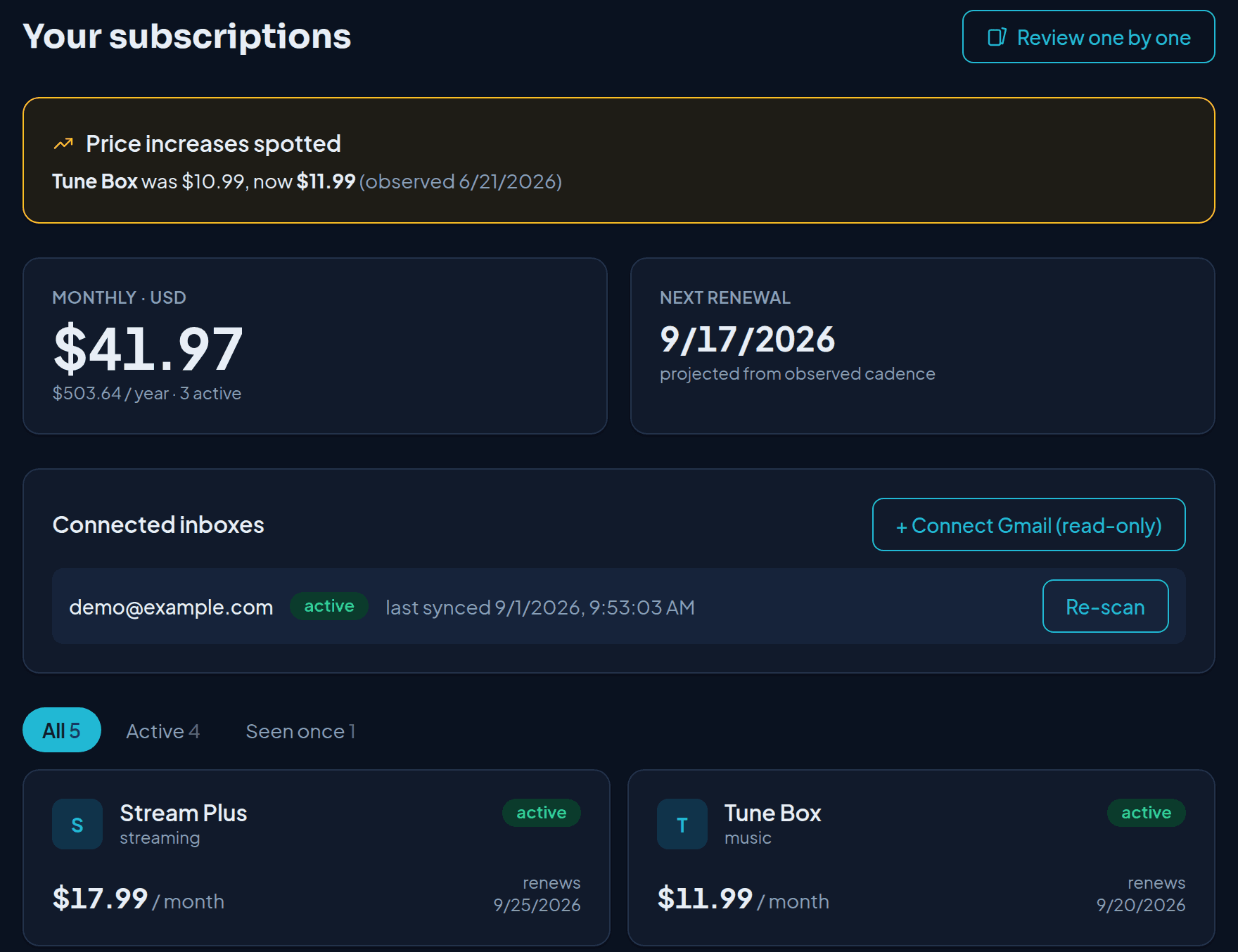
Every subscription with its receipts, renewal dates, and price history — evidence, not guesses.
- 4
Keep, cancel, or ignore
For anything you want to stop: a direct link, a phone number, or a prepared email. Done only after provider confirmation.
Every result comes with evidence.
You can see exactly which receipts produced a subscription, and decide for yourself whether we got it right.
- 03 Aug 2026 — $11.99
- 03 Jul 2026 — $9.99
- 03 Jun 2026 — $9.99
Nine receipts from the same sender, each 30 days apart, each naming the same amount until August.
Your inbox stays yours.
Read-only access
SubZero cannot send, delete, or modify your email. The permission itself forbids it.
No bank connection
No card details, no banking credentials, no account linking. Only email receipts.
Revoke anytime
Disconnect from Settings, or revoke SubZero from your Google account directly.
Message bodies are processed in memory and discarded. We keep the extracted facts — merchant, amount, date — and a reference so you can find the original receipt. Read the privacy policy.
Simple enough to start today.
The free scan shows your totals and your biggest subscription. Unlock the full list for $14.99 — one payment, no subscription.
Your totals and your most expensive subscription, with evidence.
Everything unlocked and every cancellation tool, for one payment — no subscription.
Ongoing watch: monthly re-scans, price-increase alerts, new-subscription detection.
Questions worth asking.
Can SubZero read all my email?
SubZero requests read-only access and searches for billing and receipt emails from merchants it recognises. It cannot send, delete or modify anything. Read-only is a technical limit of the permission, not a promise about our behaviour.
Do you store my emails?
No. Message bodies are processed in memory and discarded. What we keep is the extracted facts — merchant, amount, date, and the message reference so you can find the original receipt yourself.
Do I need to connect my bank?
Never. SubZero works entirely from your email receipts. We ask for no card details and no banking credentials.
What does it cost?
The scan is free and shows your totals plus your most expensive subscription. One $14.99 payment — not a subscription — unlocks everything for 30 days. Guardian ($19/year) is optional and keeps re-scanning after the cleanup.
Can SubZero cancel subscriptions automatically?
No. SubZero gives you the clearest available path — a direct cancellation link, a phone number, or a prepared email you send yourself. A subscription counts as cancelled only when the provider confirms it, and that is what the status will say.
How do I revoke access or delete my account?
Disconnect the inbox from Settings at any time, or revoke SubZero from your Google account directly. Deleting your account removes the extracted facts we derived from your receipts.
Stop wondering where your money is going.
See the recurring charges already hiding in your inbox.
No bank connection. Revoke access anytime.